Prepware Remote Pilot UAS
Aviation Supplies & AcademicsEducation
4.3112.00 Reviews
- Version
- 1.38.0
- Installs
- 10.00K
- Age Rating
- Everyone
Screenshots
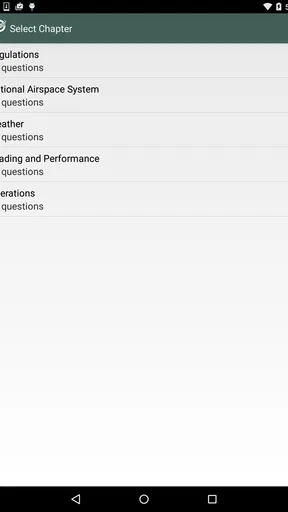
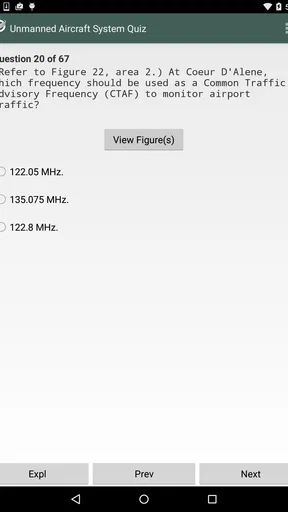
Our Review of Prepware Remote Pilot UAS
 Analysis by Appyee
When someone in a household starts preparing for the FAA Remote Pilot exam, studying can quickly become a shared routine: one person works through questions at the kitchen table while another asks them to explain a tricky answer. I see Prepware Remote Pilot as most useful in that focused role, as a study aid for the person taking the exam rather than an all-purpose drone app for everyone at home. It can make short gaps in a busy day count, but it works best when the learner treats practice as a way to understand the material, not simply memorize a string of answers.
A study session that fits around home life
A realistic use case is a learner who has a few quiet minutes before dinner, then a longer stretch later in the evening. They can use a short session to revisit practice questions and save a timed test for when they can concentrate without interruption. That split matters: quick revision helps keep material familiar, while a timed session is more useful when the learner can give the test their full attention and notice where time pressure affects their decisions.
In a shared-device household, it helps to agree who is using the app and when, especially if more than one person is preparing for the same exam. I would avoid treating one person’s progress as a reliable record of another person’s knowledge. A simple household routine—one learner at a time, with each person keeping track of their own weak areas outside the app—makes the practice easier to interpret. The app is a study tool, not a substitute for clear coordination between people sharing a device.
What to do with a difficult answer
When a question exposes a gap, resist the temptation to tap through until the correct option feels familiar. I get more value by pausing to put the explanation into my own words, then returning to the question later without relying on recognition. That small extra step helps distinguish real understanding from remembering where an answer appeared on the screen.
Another useful habit is to keep a short list of topics that repeatedly cause hesitation. After a practice session, note the subject and what made the choice difficult, rather than copying every question. Then use a later session to check whether the underlying idea has become clearer. This turns progress tracking into a practical study plan: a strong overall score is encouraging, but recurring uncertainty in one area deserves attention even when the average is rising.
The timed tests are best used as a checkpoint, not as the only way to study. If a learner repeatedly runs short of time, the problem may be a need to read more carefully or to strengthen topic knowledge, not merely to take more timed tests. I would alternate them with untimed review so there is room to understand explanations instead of rushing past them.
Getting Started with Prepware Remote Pilot
First things first, downloading and setting up Prepware Remote Pilot is a breeze. Available on both Android and iOS, you can grab it right from the app store and get cracking. Once you dive in, you’re greeted with a slick interface that’s as intuitive as it gets. No fluff, just straight to the point, which I appreciate because who wants to waste time navigating a complicated app, right?
The app is packed with all the prep materials you need. Think of it as your personal digital tutor. You’ll find everything from practice questions to detailed explanations that help you understand why an answer is what it is. It’s almost like having a pilot instructor in your pocket, ready to quiz you anytime you have a free moment.
Diving Deeper into the Features
Now, let’s talk features. One of the standout elements of this app is the extensive question bank. It’s loaded with questions that mimic what you’ll face in the actual exam. You get a mix of different question types, which is great because it keeps you on your toes. Plus, you can track your progress and see how you’re improving over time. This feature is a real confidence booster, especially when you see your scores climbing up!
Another cool aspect is the ability to take timed practice tests. This simulates the real exam environment, helping you manage your time effectively. And let’s be real, time management can be a make-or-break factor in any exam scenario. The more you practice under timed conditions, the better you’ll get at pacing yourself.
Why Prepware Remote Pilot Stands Out
What I found particularly impressive is the depth of the content. It’s clear that a lot of effort went into compiling the study materials. The explanations are thorough and easy to understand, which is crucial when you’re trying to wrap your head around complex topics. It’s not just about memorizing answers; the app helps you build a solid understanding of the material.
And here’s something for those who appreciate a bit of flexibility: you can study offline. Once you have the app and your materials downloaded, you’re good to go anywhere. So whether you’re commuting, chilling at a café, or lounging at home, you can make the most of every spare moment.
Choosing the right study approach
Compared with a general-purpose flashcard app, this is a more exam-directed option: its question practice and explanations keep the learner close to the kind of decision-making the test demands. Flashcards can still be better for someone who wants to build a custom deck, share notes across a group, or study subjects beyond aviation. A printed guide can be preferable for a learner who likes marking pages and working away from a screen, while an instructor or class offers conversation and feedback that an app cannot provide on its own.
I would use the app alongside, rather than instead of, careful reading and any instruction the learner already has. Questions are especially useful for finding weak spots, but a successful practice session should lead to understanding the reasoning behind an answer. That distinction matters in aviation: learning to recognize an option is not the same as being able to apply a concept thoughtfully in a different situation.
The offline option is handy for a commute or a place with unreliable connectivity, but I would prepare before leaving rather than assume every study item is ready at the moment I need it. At home, downloading materials ahead of a planned session also avoids a frustrating interruption. For shared devices, it is worth checking that the materials are available before handing the device to the learner who is heading out.
Who will get the most from it
This is a strong fit for someone who has decided to pursue the FAA Remote Pilot exam and wants a convenient way to practice consistently. Beginners may appreciate having explanations close to the questions, while people who already know some drone basics can use practice tests to identify where their knowledge is less secure. The app is less compelling for a casual drone owner who has no exam goal, or for a learner who expects lessons, personal coaching, or a complete community-based course rather than independent practice.
It is also not my first choice for someone who learns best by discussing concepts with another person. A study partner can ask follow-up questions and notice when an explanation has not really landed; an app cannot read that hesitation. If two people in a home are studying together, they can still use a question as a prompt for discussion, but they should avoid turning the session into a race to see who answers fastest. Explaining why an answer makes sense is a better test of learning than simply getting there first.
For a household with a younger learner, the content rating is Everyone, but that alone does not tell a parent whether the exam preparation suits that child’s goals or readiness. I would make the decision around the learner’s interest, ability to study independently, and understanding of the responsibilities involved in aviation. The app is educational; it should not be mistaken for supervision, family account management, or a way to coordinate several learners automatically.
Price, trust, and practical expectations
The app costs $4.99, so I would judge that purchase against a clear purpose: whether the learner will use question practice and explanations regularly while preparing. It is a more sensible buy for someone following a study schedule than for a person who only wants to browse a few sample questions and may never return. Before relying on it as the household’s only study resource, I would also make sure its approach matches the learner’s preferred way of studying.
Aviation Supplies & Academics develops this Education app, which has an average rating of 4.4 from 161 ratings and 110 reviews, with over 10K installs. It was released on July 20, 2016, and its current version is 1.37.1; the minimum operating system is Android 5.1. Those details make it useful to check compatibility before installing on an older device, particularly if that device is shared and the learner cannot easily switch to another one.
Because this is exam preparation, I would keep expectations grounded: practice performance can show readiness trends, but it should not be treated as a guarantee of passing or as a replacement for learning the subject. I would also avoid assuming that a high score on familiar questions means every topic is understood. Revisit explanations, vary when you practice, and use a quiet session for timed tests so the results say something useful about preparation rather than distraction.
Is It Worth Your Time?
In my opinion, absolutely. If you’re serious about acing the Remote Pilot exam, this is a must-have. It’s user-friendly, comprehensive, and most importantly, effective. Whether you’re a seasoned drone operator or a newbie, the app caters to all levels of expertise.
What seals the deal for me is the way it blends convenience with educational depth. It’s designed to fit around your lifestyle, ensuring you can study whenever and wherever suits you. Plus, the insights you gain from using the app are invaluable, not just for passing the exam but also for practical drone operations.
So, if you’re on the fence about whether to give it a shot, I’d say go for it. It’s an investment in your future flying endeavors. Happy studying, and may your skies always be clear!
My household verdict
I would recommend it to the person in a home who has a specific FAA Remote Pilot exam goal and is willing to build a steady routine around practice and review. It can fit neatly into shared life without requiring a long, uninterrupted study block, but the learner still needs to protect focused time for harder material and keep their own sense of what needs work.
For families or roommates, the best arrangement is modest: agree on device turns, let each learner take responsibility for their own progress, and use explanations as a basis for discussion when that helps. If someone needs structured teaching, custom shared notes, or broad drone guidance beyond exam preparation, a class, instructor, or another study format may be the better main resource. For focused solo revision, though, I find this a practical companion that makes short sessions count without pretending that an app can do the studying for you.
Verdict
Strengths of Prepware Remote Pilot UAS
- Comprehensive study materials available.
- User-friendly interface for easy navigation.
- Offline access to resources for convenience.
- Regular updates with the latest FAA content.
- Practice tests simulate actual exam conditions.
Limitations of Prepware Remote Pilot UAS
- Limited free content; most features require purchase.
- Some users report occasional app crashes.
- Requires internet for initial content download.
- Interface may feel outdated to some users.
- No personalized study plans or tracking.
Other Releases by Aviation Supplies & Academics
View All
Prepware Powerplant FAA Tests
Education3.7

Prepware General FAA Tests
Education4.1

FAR/AIM by ASA
Education3.8

Prepware Private Pilot
Education3.8
Similar Picks in This Category
View All
Duolingo: Language Lessons
Duolingo4.7

Google Classroom
Google LLC2.8

Unacademy: Learn & Crack Exams
Unacademy3.2

Bible App for Kids
Life.Church4.4

Cake - Learn English & Korean
Cake Corp.4.7

Brainly: AI Homework Helper
Brainly4.5
Frequently Asked Questions
What features does Prepware Remote Pilot offer to help with FAA exam preparation?
Prepware Remote Pilot provides a comprehensive suite of study tools tailored for aspiring remote pilots preparing for the FAA exam. The app includes a wide array of practice questions, detailed explanations, and up-to-date content aligned with FAA standards. Interactive quizzes and progress tracking features help users identify strengths and focus on areas needing improvement.
Is Prepware Remote Pilot suitable for beginners with no prior drone operation experience?
Yes, Prepware Remote Pilot is designed to be user-friendly for beginners. The app offers a structured learning path, starting with fundamental concepts of drone operation and regulations. It gradually progresses to more advanced topics, ensuring that even users with no prior knowledge can understand and retain the material effectively.
How often is the content in Prepware Remote Pilot updated to reflect current FAA regulations?
The development team behind Prepware Remote Pilot regularly updates the app's content to ensure alignment with the latest FAA regulations and guidelines. Users can trust that they are studying the most current and relevant information, which is crucial for passing the FAA remote pilot certification exam.
Does Prepware Remote Pilot offer any offline study options for users without constant internet access?
Yes, Prepware Remote Pilot offers offline access to its study materials. Users can download content to their devices, allowing them to study anytime and anywhere without needing an internet connection. This feature is particularly beneficial for users with limited internet access or those who prefer to study on the go.
What are the pricing options for accessing all features of Prepware Remote Pilot?
Prepware Remote Pilot offers a variety of pricing options to suit different user needs. While the app may have a free trial or basic version, access to the full suite of features typically requires a one-time purchase or subscription. Users can choose the option that best fits their study schedule and budget, ensuring flexibility in preparation.
